Simple Summary: every transaction in one list
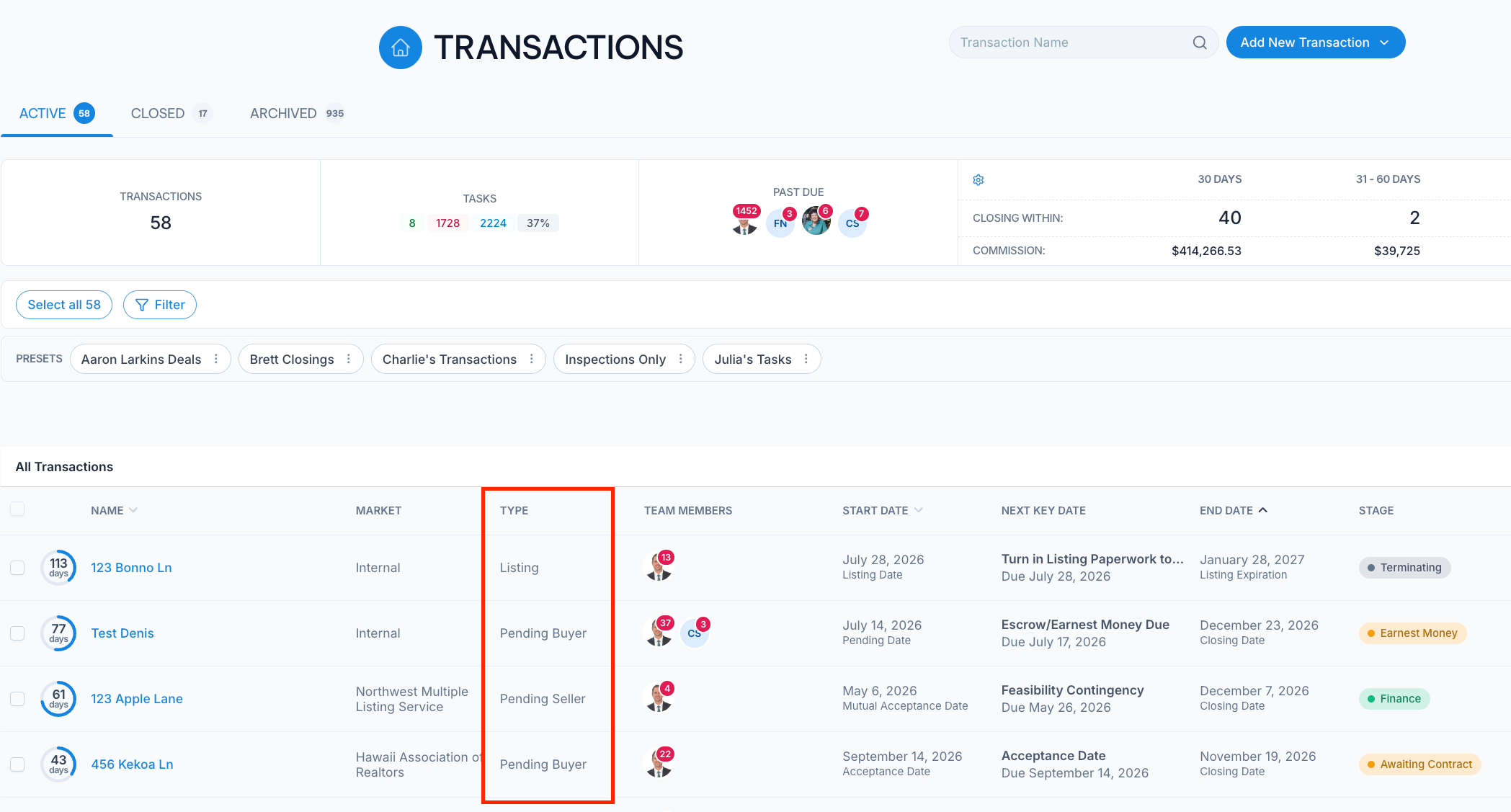
The Transactions page can now show all of your transactions in a single list instead of grouping them by type. Open the View dropdown at the top of the page, which replaced the Extend View button, and choose Simple Summary.
Pick the columns you want with the Columns chooser, and sort by Name, Start Date or End Date. Nekst remembers the view, columns and sort you picked.
Full details here: https://help.nekst.com/en-us/article/transactions-page-see-every-deal-the-way-you-work-1bbfe5t/