Documents 2.0: Folders, Signature Tracking and Comments
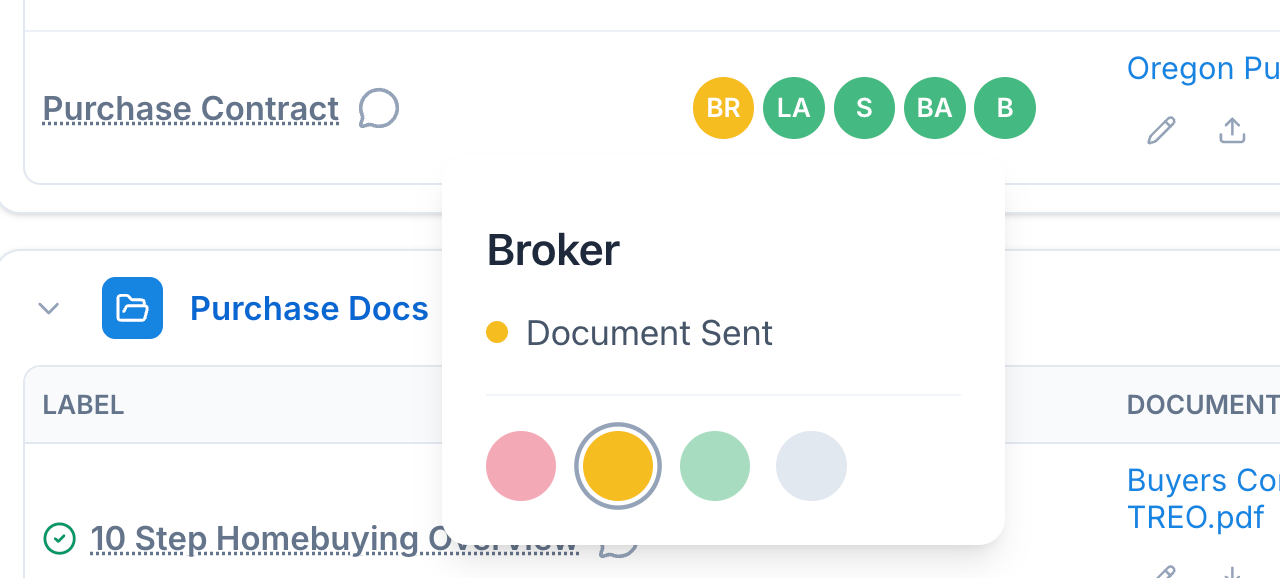
The Documents page used to tell you a file was uploaded. It couldn't tell you whether the seller had signed, which phase of the deal a file belonged to, or that you'd already chased the buyer twice.
Documents 2.0 changes that. Group documents into folders by phase (Listing, Pending Seller and so on), set which parties need to sign each label, and see every Broker, Listing Agent, Seller, Buyer Agent and Buyer badge go from red to green as signatures come in. Mark a document fully executed in one click. Leave internal comments on a specific document so the next person on your team knows where it stands. Upload several files at once and split a big PDF into separate labeled documents before it's saved.
When a deal falls through, archive the old folder and add the new contract under the same label. Emails and the Client Portal only ever use the active document, so nobody gets the old contract by mistake.