Add Just the Task Groups You Need to a Transaction
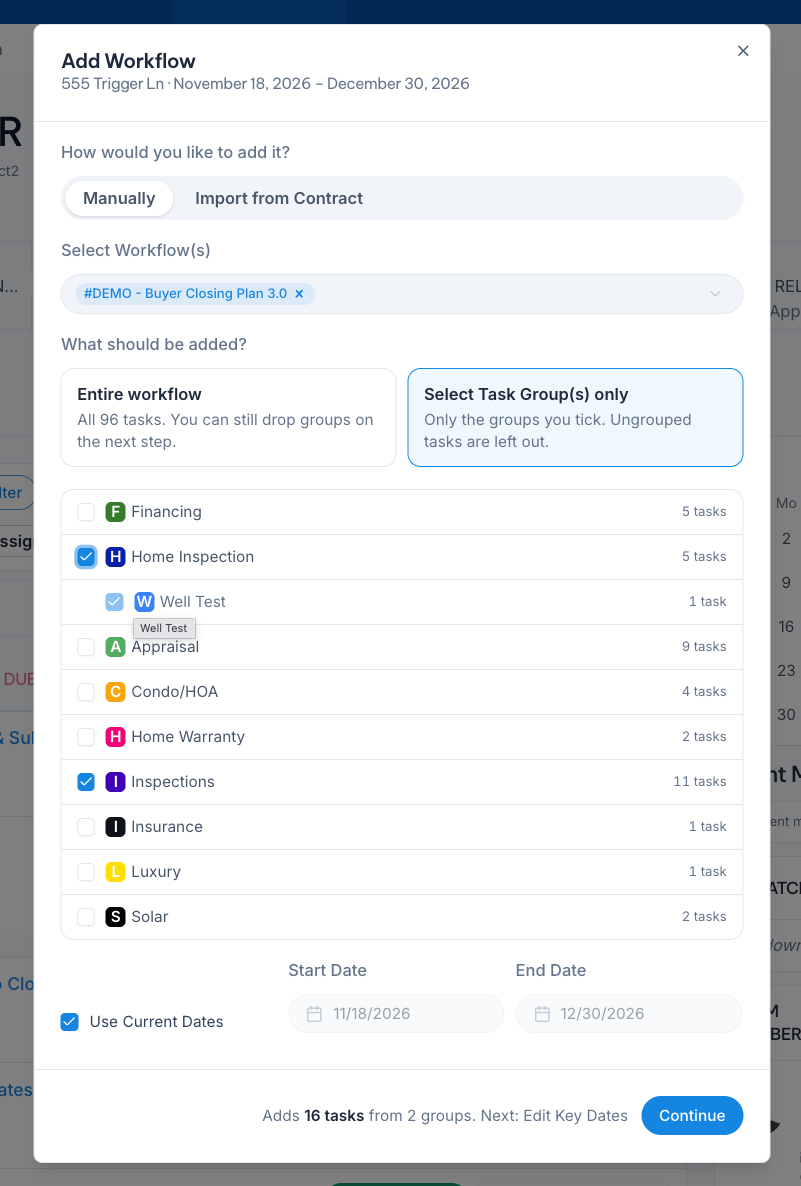
You launched a deal without the Inspections group, and now you need it back. Until now, the only fix was adding the whole workflow again, which also piled every ungrouped task back onto the transaction for you to clean up.
Now, when you add a workflow manually, you can choose Select Task Group(s) only and tick just the groups you want. Only those tasks are added, your existing tasks stay where they are, and you go through a shorter 3-step launch: Edit Key Dates, Edit All Tasks and Add Transaction Parties. The line at the bottom of the window tells you exactly what Continue will add before you click it.
See how it works: https://help.nekst.com/en-us/article/add-only-selected-task-groups-to-a-transaction-1c3cj6y/