February 25th, 2026
New

This release marks a shift in how real estate transaction management software should work. Instead of manually searching through tasks, notes, and documents, you can now ask questions and get instant answers based on your actual transaction data.
Nekst AI is built directly into your workspace and understands your transactions, deadlines, comments, and documents.
You can now:
• Ask questions about any transaction
• Instantly view upcoming deadlines
• Search across notes and comments
• Generate closing summaries
• Review team activity
• Jump directly into tasks and transactions from chat
• Reference documents within your conversations
All AI conversations are saved so you can revisit them later. You can also create and reuse common prompts for recurring needs.
Nekst AI lives inside your account and uses secure third-party AI providers to generate responses based on your transaction data. It does not train public models using your information.
Each plan includes a monthly AI allowance that is shared across your team. You can view your remaining usage inside your Settings page.
Transaction management tools have traditionally been storage systems for tasks and documents. Nekst AI moves beyond that.
Instead of digging for information, you simply ask. Instead of clicking through multiple tabs, you get clarity in seconds.
This is the direction transaction management real estate software is heading. We are excited to build it with you.
See the official announcement on our blog.
February 11th, 2026
Improved

We’re excited to share that the Nekst Client app is now live in the Google Play Store.
Your buyers, sellers, and invited transaction participants can now download the app on Android to:
View shared transactions in one place
Track progress and key dates
Access documents anytime
Contact recommended service providers
Receive real time updates
If you’re already sharing Client Portals in Nekst, the mobile app simply mirrors what you’ve built and gives clients an easy way to stay informed on the go.
Download the Android app here:
https://play.google.com/store/apps/details?id=com.nekst.client
February 10th, 2026
Improved
Fixed

Our Email Messing box had some initial issues with regards to spacing, bullet points and more. Recent improvements have fixed these issues, allowed bullets to work properly, signatures to more closely resemble your true email signatures removing the padding between each line of text.
TASK BOX BEFORE: (forced spacing between lines/paragraphs, oversized indentions, spaced out signature)

TASK BOX AFTER:

PREVIEW BOX BEFORE: (broken indentions, gaps between lines)

PREVIEW BOX AFTER:

February 10th, 2026
New

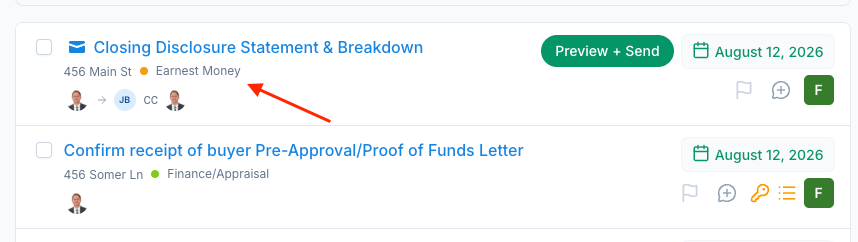
You can now add a custom email signature to individual contacts and insert it into emails using SmartTags.
This is especially helpful for Transaction Coordinators who send emails on behalf of agents. Instead of using your personal sender signature, you can insert a signature associated with the agent on the transaction, keeping communication professional and consistent.
How it works:
Add a signature directly to a contact record
Insert it into an email using a SmartTag like #contacts.buyerAgent.signature
The signature is pulled from the contact, not the sender or recipient
February 10th, 2026
New

You can now generate a clean, shareable PDF report directly from any transaction in Nekst.
The Report Generator pulls real transaction data into a polished PDF, letting you choose exactly what details to include before downloading or sharing. No exporting, copying, or reformatting.
It’s ideal for client summaries, broker or compliance documentation, and internal records, all created in just a few clicks.
A report can be generated using a tool we built to support Nekst user until we integrate this functionality into the application itself.
Learn more here or visit the Report Generator Site at http://reports.nekst.com
January 21st, 2026
Improved

Users now have more control over how their Tasks are displayed in Nekst.
Show Complete Tasks by Default - choose to show Completed Tasks alongside active tasks
Display All Team Member Tasks by Default - choose to display all tasks for each transaction instead of just those assigned to you
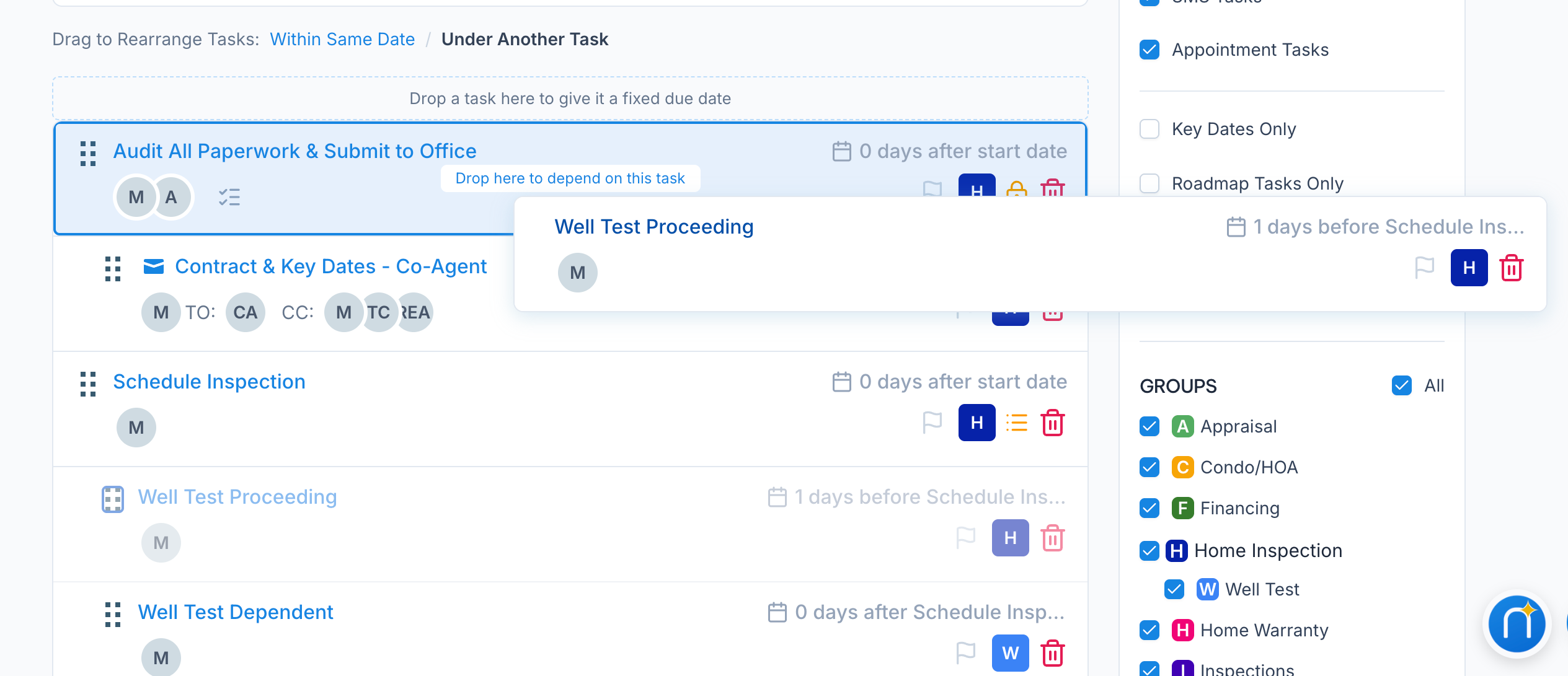
Expand Dependent Tasks by Default - choose to have Dependent Tasks displayed or hidden under the Primary Task
When viewing Tasks, default to this list - If you prefer to see “All Tasks” or “Past Due” instead of “Due Today”, we can take you directly to that list of tasks automatically
January 21st, 2026

You can now choose whether Dependent Tasks are displayed or minimized within a transaction.
Dependent Tasks are automatically triggered based on earlier steps in your workflow. While they are powerful, they can also add visual noise when you are focused on what needs to be done right now.
With this update, you can:
Minimize Dependent Tasks to reduce clutter
Expand them when you want to see what is coming next
Stay focused on active, actionable tasks
This gives you more control over how you view your workflows while still keeping future steps connected and automated.
UPDATE YOUR PREFERENCES PAGE IN SETTINGS:

January 21st, 2026
New

You can now add quick reminders & notes for any transaction right on the main Tasks page - while working inside a transaction.
Scratchpad is designed for jotting down reminders, context, or temporary thoughts that don’t belong in formal Notes or Tasks. It stays visible on the main transaction page, saves automatically, and keeps important details top of mind while you work.
Use Scratchpad for things you need to remember now, then move anything permanent into Tasks or Notes when ready.
Learn more here.
January 21st, 2026
New

Nekst now supports Microsoft Outlook email sending, alongside our existing Gmail integration.
Users who rely on Outlook can now send transaction emails directly from Nekst while keeping their communication properly logged and professional. Just like Gmail, emails are sent using your own address, maintain deliverability standards, and stay connected to your workflows and transactions.
If you use Outlook, you can now authenticate your account and start sending emails from Nekst instead of using the DNS records option (or using our default “noreply@nekst.com” outgoing email address).
This update makes Nekst fully compatible with the two most common email platforms used in real estate.
Learn more here: https://help.nekst.com/en-us/article/send-email-messages-using-your-email-address-1vi9csy/
January 21st, 2026
New

We’ve officially launched the Nekst Client Mobile App, our first mobile app designed specifically for buyers, sellers, and transaction participants.
The app gives clients one simple place to view all shared transactions, track progress, access documents, see key contacts, and stay informed without relying on texts, emails, or attachments.
Clients automatically see everything you’ve already built inside Nekst. There’s no extra setup required. Just share the Client Portal and your clients get instant access through the app.
Best of all, the Nekst Client app is completely free and helps you deliver a more transparent, professional client experience from start to finish.
Check out the video below or learn more here.