
Updates

Follow new updates and improvements to Nekst.

Clickable links in task descriptions
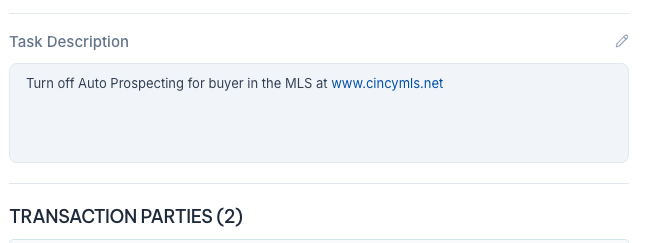
Web addresses in a task description are now clickable, in your Workflows and on transaction tasks, on web and mobile. Add a link to a training video, a form or a website, and whoever is assigned can open it in one click. Links already in your tasks work too, so there’s nothing to update.
Improved

A cleaner daily email, with your whole week of Key Dates

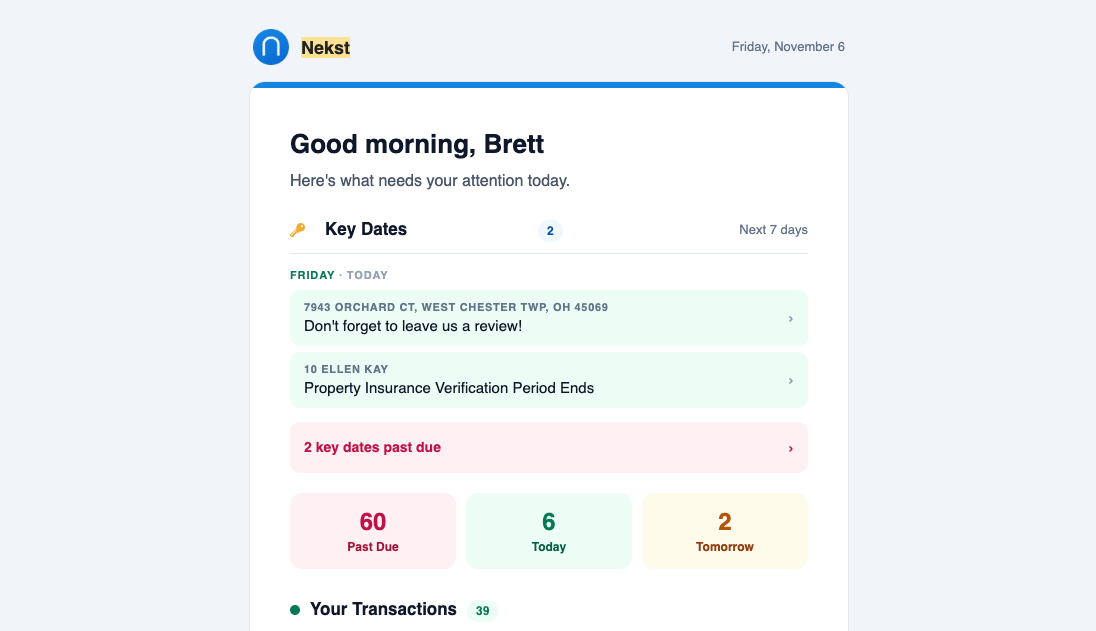
Your morning Nekst Daily Activity Update has a cleaner look and reads better on your phone. It now lists every Key Date for today and the next 6 days, grouped by day, instead of just your top 5. On a busy week you’ll see the first 15 and a See more link.

Past Due, Today and Tomorrow counts sit right under your Key Dates. Each transaction gets one block with up to 5 tasks due today plus a past-due count, so one older file with a long overdue list can’t take over your email.

There’s nothing to set up. It arrives the same way it always has.

Improved

Complete Key Dates in One Click

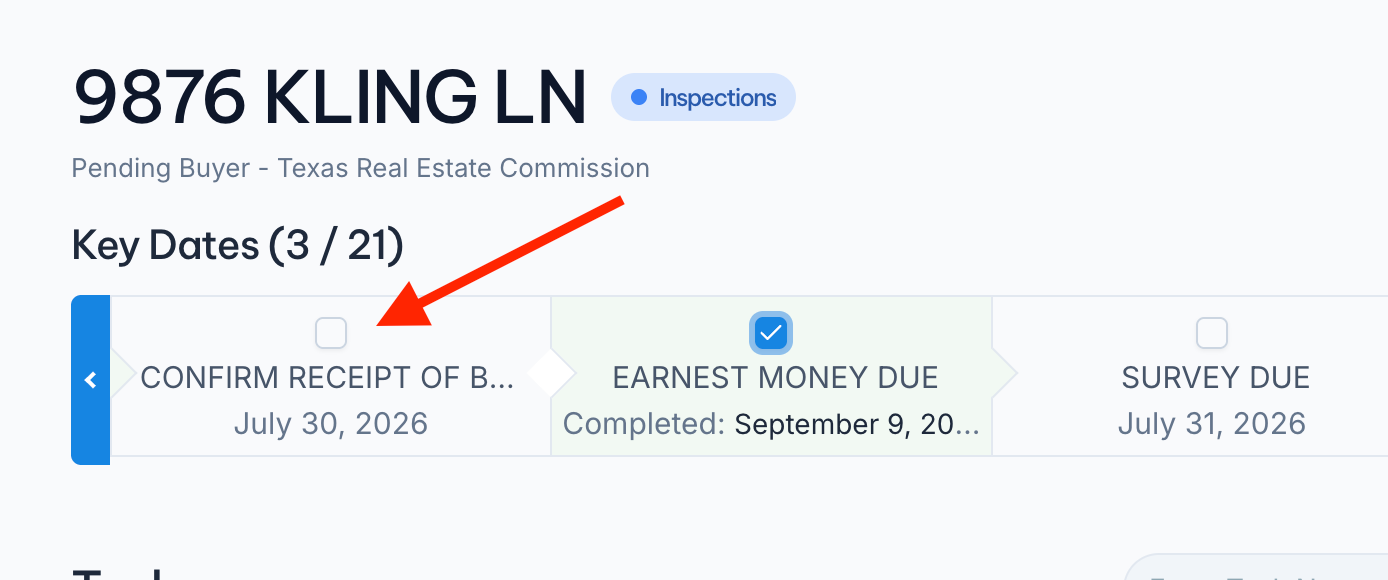
We finally got around to fixing a very confusing neThe circle next to each Key Date at the top of your transaction is now a real checkbox. Click it and the deadline is done, without opening the task or scrolling down to your task list. Completed Key Dates turn green and show the date you closed them out.

We also published a full Key Dates guide covering the widget, the review step during launch, calendar links for you and your clients, and the Show Key Dates Only filter.

https://help.nekst.com/en-us/article/key-dates-track-and-complete-your-critical-deadlines-hbd7q8/

Improved

Earlier updates