Time zone on Appointment tasks
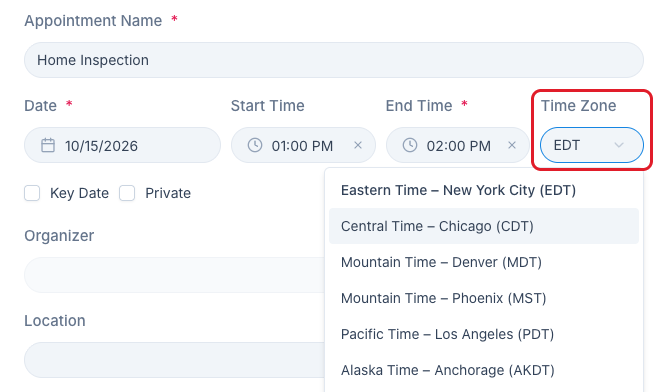
Appointment tasks now have a Time Zone field. Enter a Start Time and it appears next to End Time (on its own line in the mobile app), so a showing in Arizona can be set in Arizona time even if you’re in California.
New appointments start on the time zone from your profile, so most of the time there’s nothing to change. The appointment preview shows the zone too, for example 2:00 PM MST. Start Time and End Time also have an X now: clear Start Time and the appointment goes back to all-day.
Full details here: https://help.nekst.com/en-us/article/appointment-tasks-formerly-event-tasks-1wz1mhd/