Simple Email: Send a Quick Email Right from the Transaction
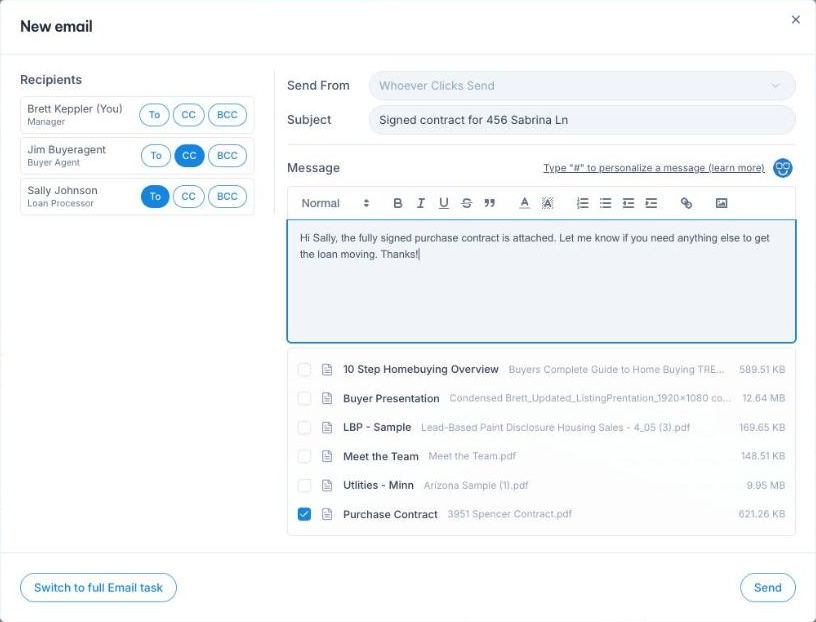
Adding an email on a transaction used to mean filling out a full Email task, saving it, opening it again, previewing it and pressing Send twice. For a two-line note to a lender, that's a lot of clicks, and most of us just opened Gmail instead. Then the deal lost the record.
Now when you add an Email task on a transaction, it opens as a Simple email. Pick your To, CC and BCC from the people on the deal, write your subject and message (or let Nexi write it), tick the documents you want to attach, and press Send. It goes out right away, and the transaction shows a completed Email task dated today.
Need a later send date or a different assignee? Switch to the full Email task and everything you wrote comes with you. Email tasks in workflows still use the full form.