Write Emails with AI, Right Inside Your Tasks
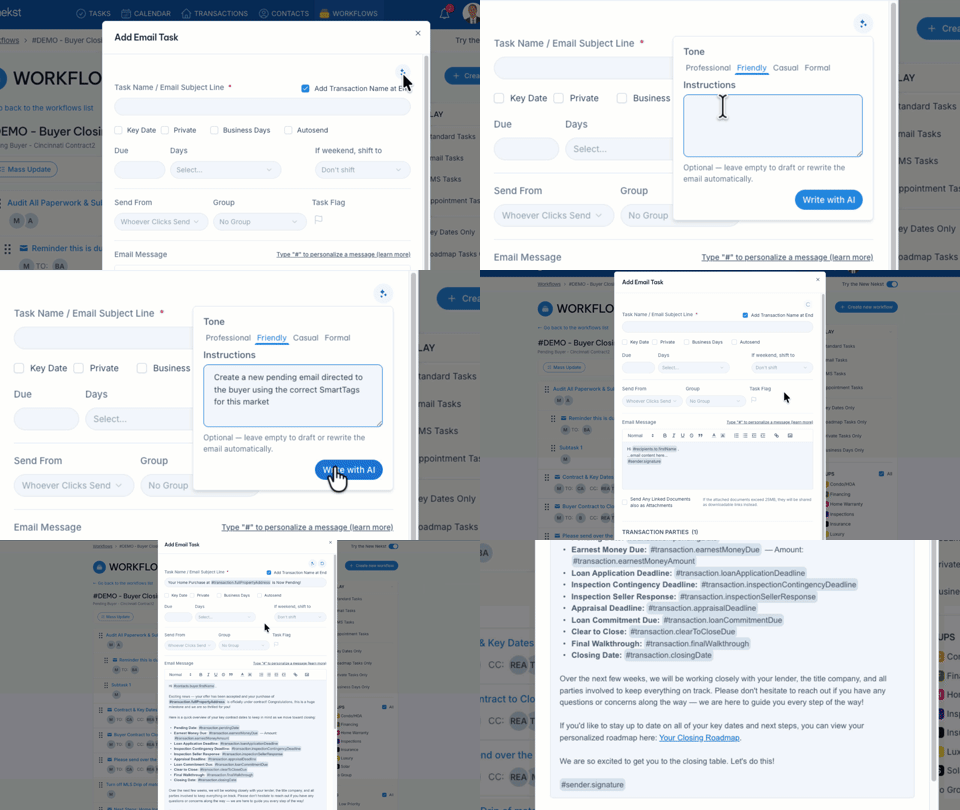
Writing every transaction email by hand is one of those quiet time-drains that adds up fast. Now you don't have to.
Open any email task, click the new Sparkle icon, pick a tone, and hit Write with AI. Nekst drafts the whole email for you, or rewrites the template you already have so it reads better. Leave the message blank to start from scratch, or add a quick instruction to steer it.
Every draft uses your SmartTags (not the raw values), so you can confirm the data is pulling from the right place before you send. And any SmartTag with no data gets left out automatically, so no more "N/A" showing up in a client's inbox.
Set a default tone and your own writing rules once under Settings → AI Email Assistant, and every AI email follows them.