Back-date a completed task — keep dependent deadlines accurate
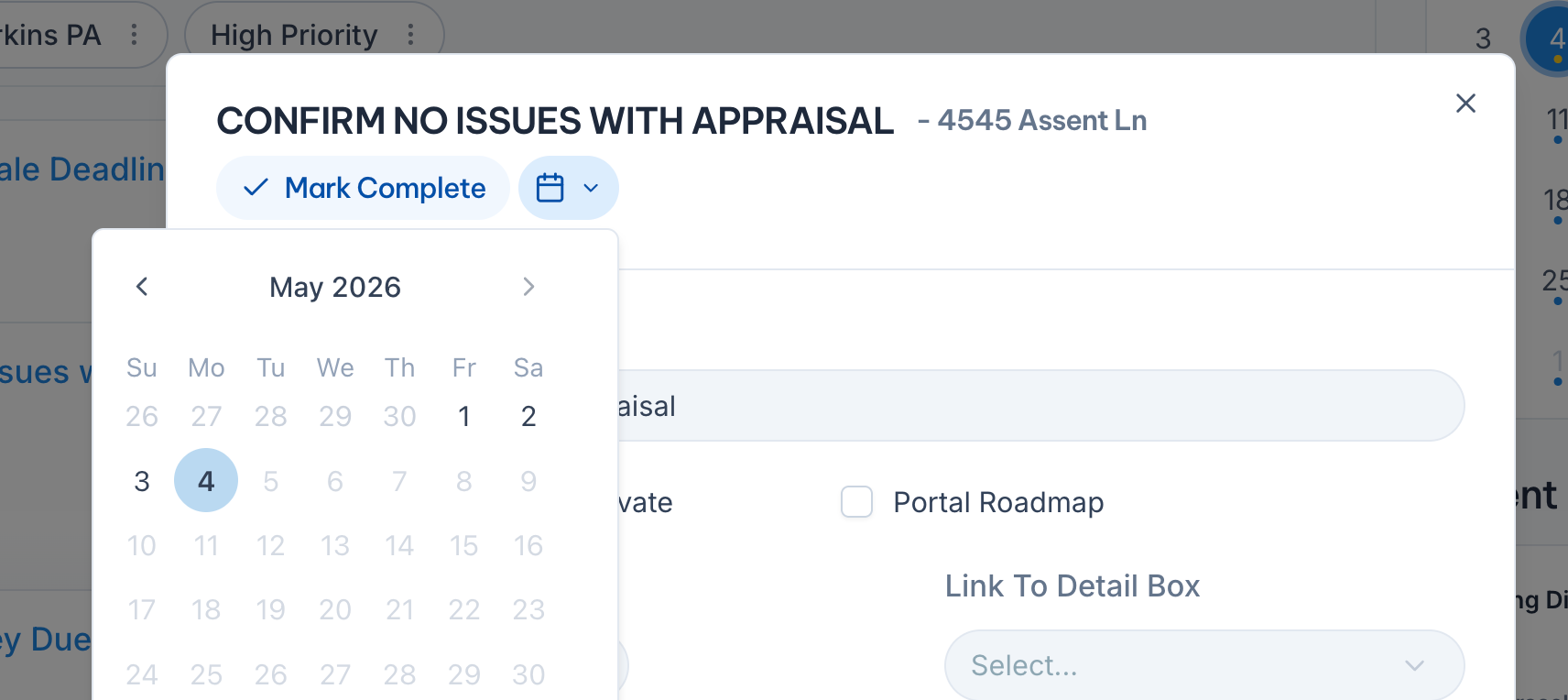
When a task gets finished late, marking it complete with today's date used to throw off every dependent deadline calculated from it. Now you can pick the actual date the work was done — a calendar dropdown sits right next to the Mark Complete pill in the task drawer.
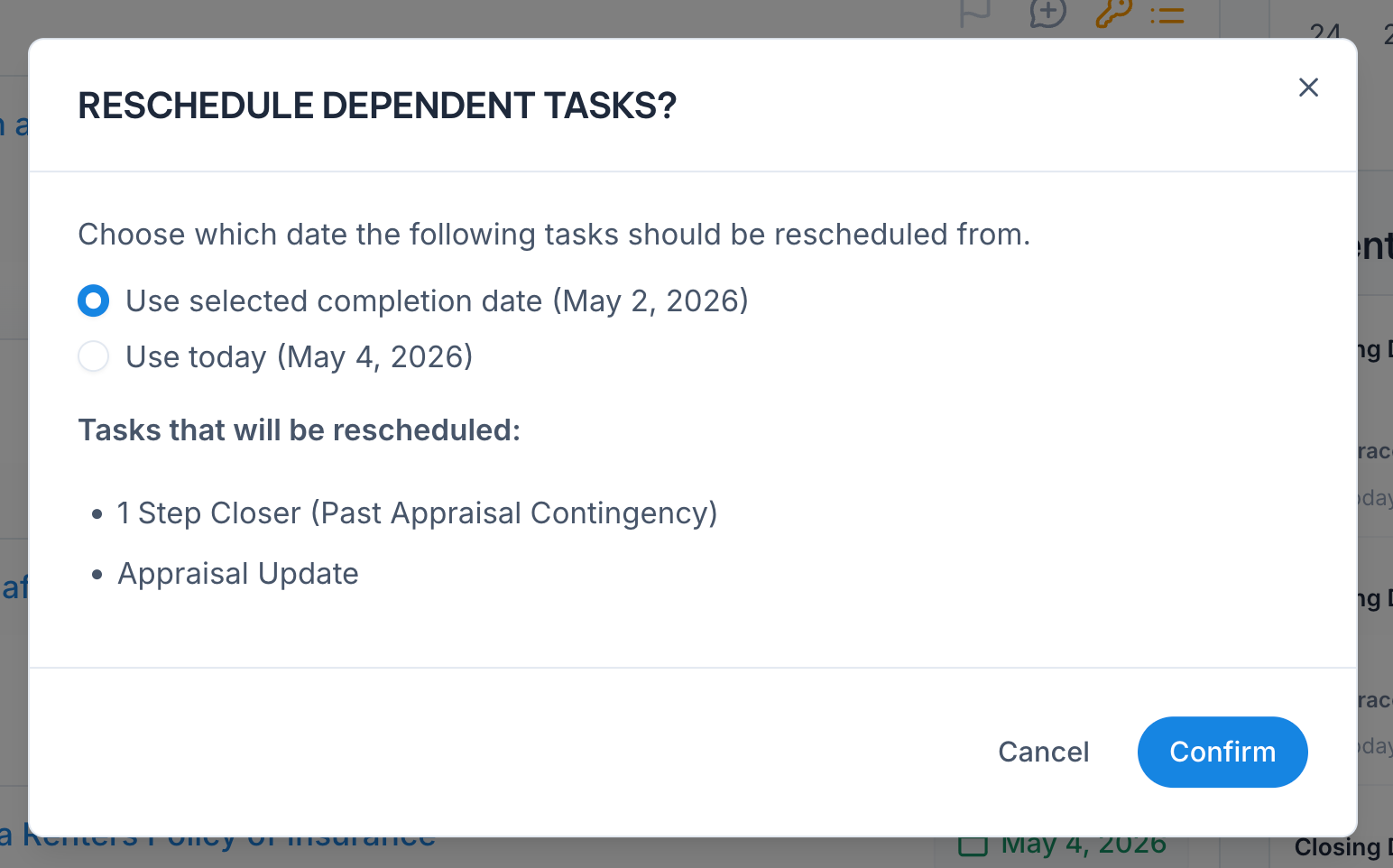
If the task has Dependent Tasks, Nekst asks whether to recalculate them from the date you picked or from today. Pick the option that matches reality and your downstream deadlines stay accurate without manual cleanup.
You can also edit the completion date of an already-completed task by clicking the pencil on the green Completed {date} pill.