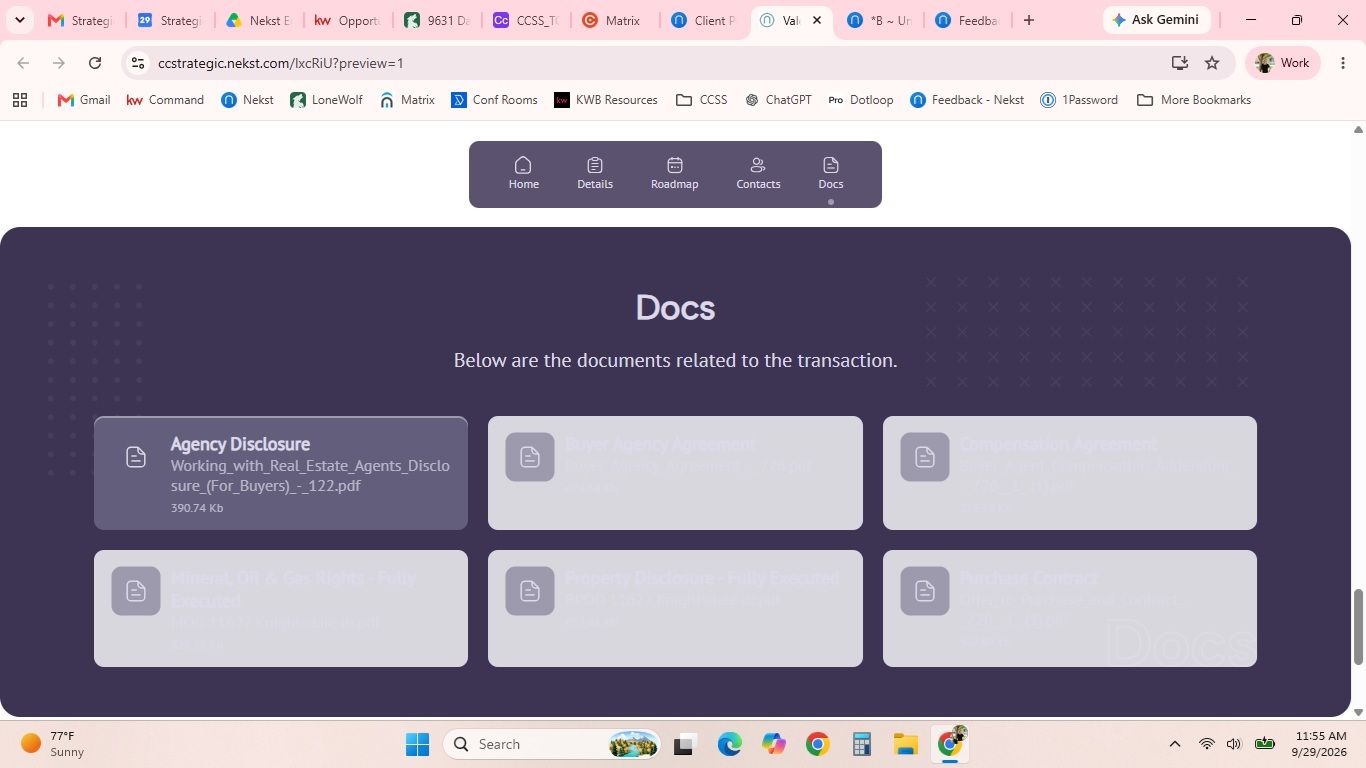
Documents showing on Client Portal
When previewing the portal, the document titles don’t seem to show up clearly until I hover over them. Is this a setting that we need to change on our end? If so, would you be able to tell me which branding needs to be edited?
Log in to comment and vote
Comments2
Brett Keppler
Sep 29
@Jenna Kelly So that is under the “Colored Background” section. You are using a white overlay on white text. So either change the text to black or a different overlay color to generate a proper contrast.
Also - feel free to keep this section for Feature Requests. If you have a question for using Nekst or fixing a bug, please use our Chat Support to troubleshoot.
Jenna Kelly
Sep 29
Thank you so much Brett. I will reach out to Chat support in the future. Thank you again for always being available to assist.